
Before
A card within reach
Print the table card with your album's QR code, free on every plan. The Full Event and The Keepsake add seat and welcome cards.

Weddings · XV años · birthdays · baptisms · memorials
Guests scan the card on their table and add photos from their phone's browser. When you share the photos with guests, everyone who asks gets the album the next morning, and can add the photos still on their phones.

147 photos from 52 guests
Thank you for being here. Add the photos you take today.




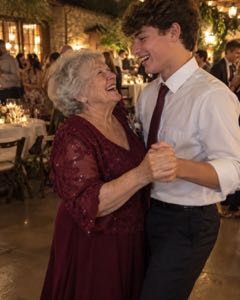
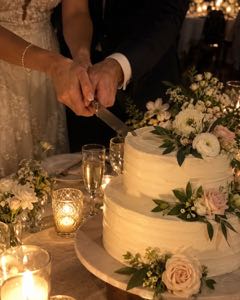

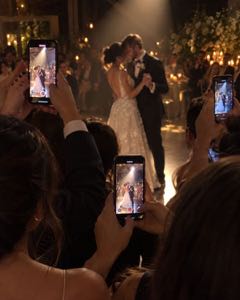

Add your photos
How it works
Vayluma sets up all three, and does the last one for you.
Before
Print the table card with your album's QR code, free on every plan. The Full Event and The Keepsake add seat and welcome cards.

During
Guests open the page and see the photos already in the album before they add their own. A laptop plugged into the TV opens the screen from your host page, and photos show up as guests add them.

After
When guests can see the photos, everyone who asked gets the album at 10:00 the next morning. They look, find more photos on their phones, and add them.
You also get a ready-made message for your group chats, in English and Spanish.
Why guests add photos
The page opens on the photos already in the album. At one wedding, two guests added their own right after looking at them.
Seen at one wedding
At one wedding, prompt cards on every plate got 15 of 26 guests to share 142 photos.
One wedding, as the couple reported it
In one app's data from 203 weddings, 82% of guest uploads came after the wedding day. So when guests can see the photos, the album goes to each one who asks, the next morning.
Pix Wedding founder's report

The screen
Open the screen from your host page on a laptop plugged into the TV, and photos show up whole as guests add them. The QR code stays on screen for anyone who missed the card.
Guest photos go through an automatic check before they reach the screen. You can turn it off.


Memorials
A quiet page with no counts: a date to send photos by, and the family sees each photo first.
Everyone who leaves an email gets the album the day after the service.
Pricing
Every album starts free, and Free keeps 100 photos. The paid plans keep every photo.
$0
$29 per event
$59 per event
Every album starts on Free. You upgrade from your host page, before the event or the morning after.
Love it or it's free. If the album doesn't work for you, write to us within 7 days after your event and we refund the full price. You keep the album.
They scan the QR code and add photos from their phone's browser, with nothing to install. Nobody makes an account, you included.
You choose when you create the album, and you can change it later:
A family link on The Keepsake shows the album to the people you send it to, whichever you choose.
Guest photos go through an automatic check before they reach the screen. You can turn it off. If the check stops a photo, only you see it, under “Check these first”, until you let it through or delete it. If the check is slow or down, new photos wait for you under “Not checked yet”, and you can let them through yourself.
The link is a random code, never your names. The photos are deleted automatically when the album's time is up.
Any guest who leaves an email on the album page, even one who added nothing. They get one email with the album link at 10:00 the day after the event, and then we delete the address.
We use a guest's email for your album and nothing else. No newsletters, no ads.
When only you see the photos, guests aren't offered the email.
On Free, your album keeps 100 photos as smaller copies, fine for phones and social media, and holds the originals until you upgrade. The Full Event and The Keepsake keep every photo at full size, when the guest's phone sends the original.
On Free, guests can add up to 1,000 photos: your album keeps 100 and holds the rest until you upgrade. The Full Event and The Keepsake keep up to 5,000.
On Free, guests add photos until 2 days after the event day. The Full Event keeps the album open 30 days, and The Keepsake a full year. After that you have 5 more days to download everything, and then the photos are deleted automatically.
The guests' page follows the hour of your event: daylight for a lunch or a baptism, a darker page for an evening party.